You can’t carry a whole gun store around Leonida in GTA VI. Your loadout only has room for so much, and walking down the street with a rifle on your back is a quick way to get the police called on you.
So where do the rest of your guns go? Luckily, there is always somewhere to stash them, and it might already be parked outside!
How to store weapons
To store weapons in GTA VI, you must put them in the trunk of your vehicle or in a weapons locker at an Ammu-Nation. Both places share the same storage, so anything you put in your trunk can be taken out at a locker, and vice versa.
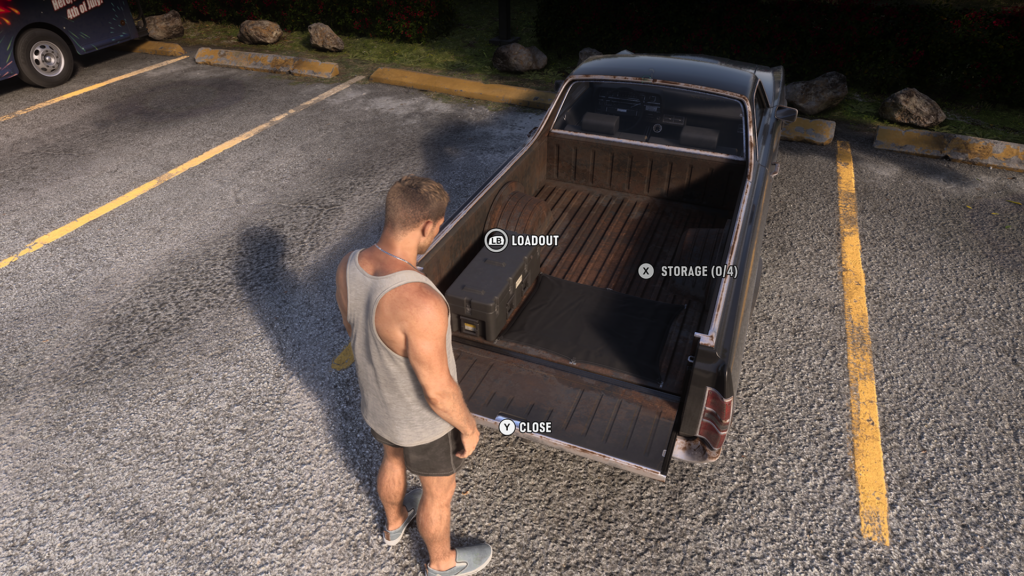
To store weapons in your trunk:
- Walk up to the back of your vehicle
- Press X on Xbox to open the trunk
- Hold LB to open your Storage
You can store any weapon in your trunk, including longarms like shotguns and rifles.
Where is the weapons locker?
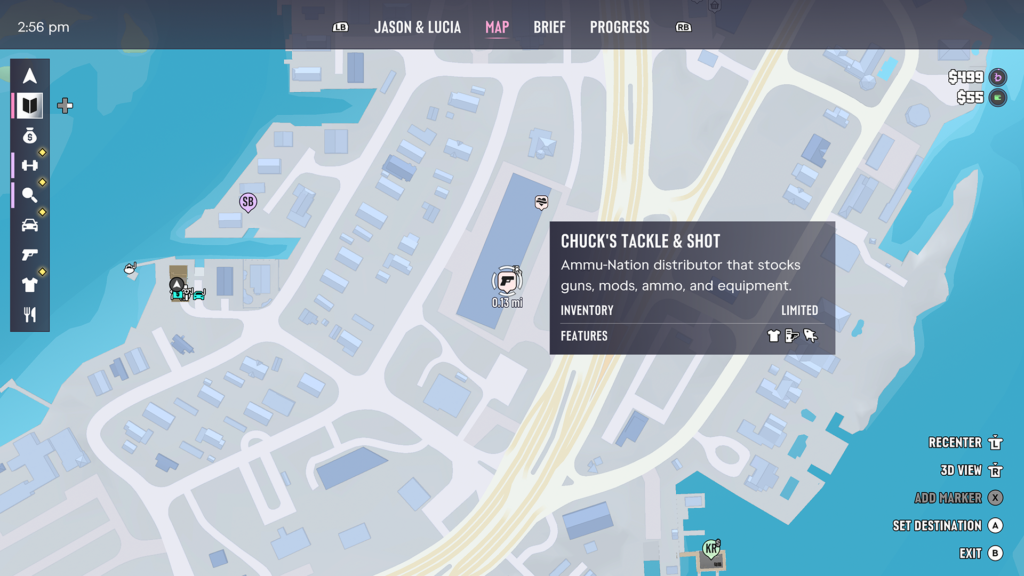
You’ll find weapons lockers inside Ammu-Nation stores, which are marked with a gun icon on your map. Most Ammu-Nations have one, but not all.
To check, hover over an Ammu-Nation on your map. If the store has a locker, its icon will appear under Features.
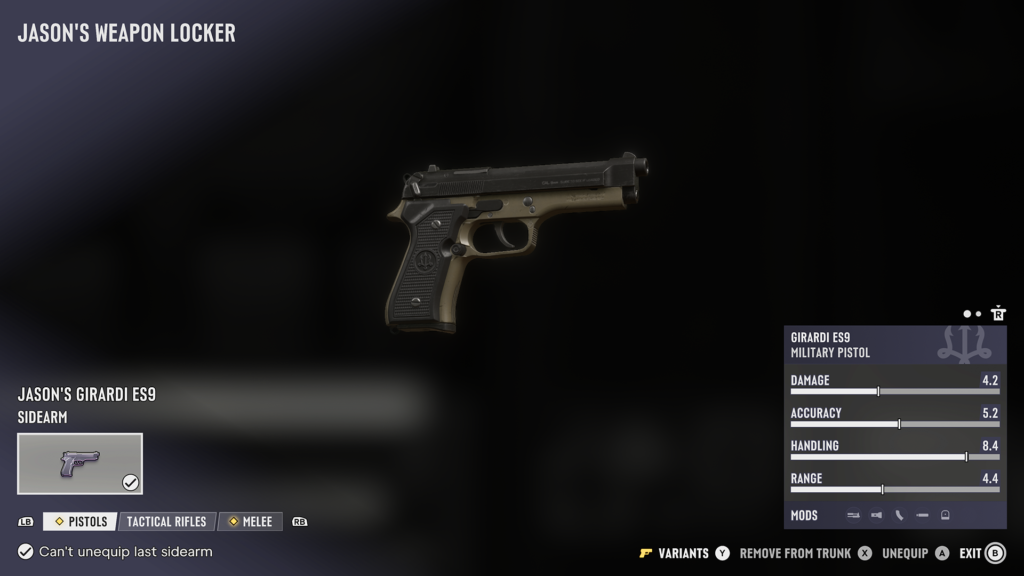
The locker is the green metal cabinet. Walk up to it and press Y to Manage Weapons, or LB to open your Loadout.
At a locker, you can:
- Recover owned weapons you have lost
- Manage your loadout
- Select Unique Weapon Variants
How many weapons can you carry?
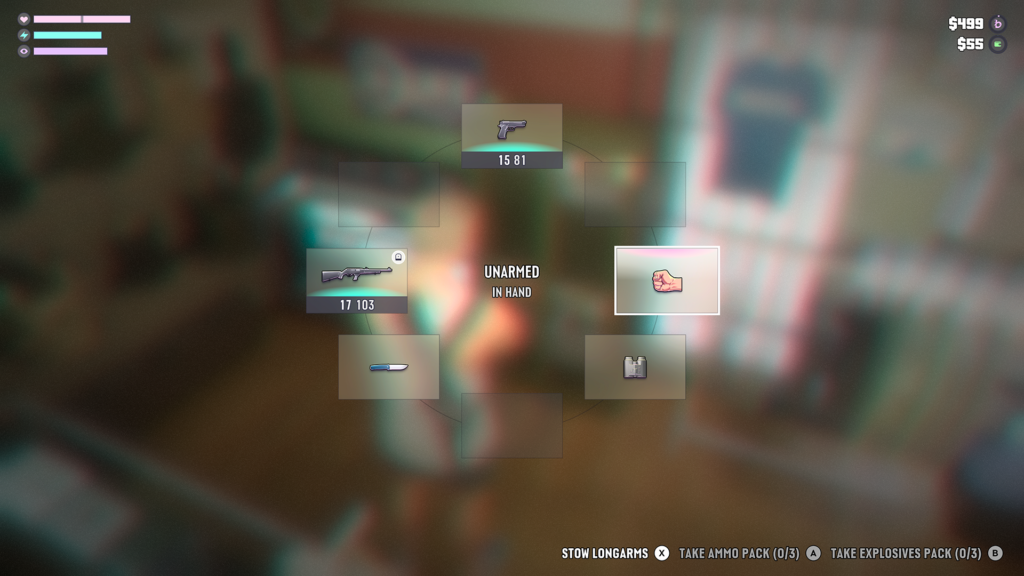
You can carry two sidearms and two longarms in your loadout at one time. You also have room for explosives, a melee weapon, and equipment like binoculars and a flashlight.
Hold LB to open your loadout. If you are carrying two weapons of the same kind, like two longarms, use LT and RT to switch between them.
How to put away your weapon
To put away your weapon, hold LB to open your loadout, then use the Right Stick to select the fist.
That works for sidearms. Longarms are a different story. Even when you aren’t holding one, it stays strapped to your back where everyone can see it, and people will call the police if they spot it.
To get a longarm out of sight, open your trunk loadout and press X to Stow Longarms.
Can you keep weapons you find?
No, you can’t keep the weapons you find. Weapons dropped by enemies or found lying around Leonida are Unowned Weapons, and you can’t own or modify them.
If you lose an unowned weapon, you can’t get it back. They will also be removed if you get wasted or busted. You can stow a limited number of them in your trunk, though.
The only weapons you get to keep are the ones you buy. You can tell them apart by the color of their icon:
- Owned Weapons (blue) – bought from Ammu-Nation
- Unowned Weapons (white) – dropped by enemies or found in the world
- Unique Weapon Variants (gold) – one-of-a-kind finds
Buying a weapon gives it to both Jason and Lucia, and each of them can modify and equip it separately. Buying more weapons will also expand what Ammu-Nation stocks.
How to get your weapons back
If you drop or lose an owned weapon, you can recover it from your trunk or from any weapons locker.
Be careful with stolen cars, though. If you are wasted or busted while using a car that isn’t yours, anything in its trunk will be removed. If you need help making a car your own, you can always check out our guide on how to register a car here. You can begin to register cars during Chapter 2.
If you are after more help, you can always check out all of our Grand Theft Auto VI guides here.