A lot can go wrong in Leonida in a very short span of time. One minute you are cruising through the Keys with a pocket full of cash, and the next you are face down on the pavement with all of it gone. Luckily, saving your hard work only takes a few seconds!
How to save your game
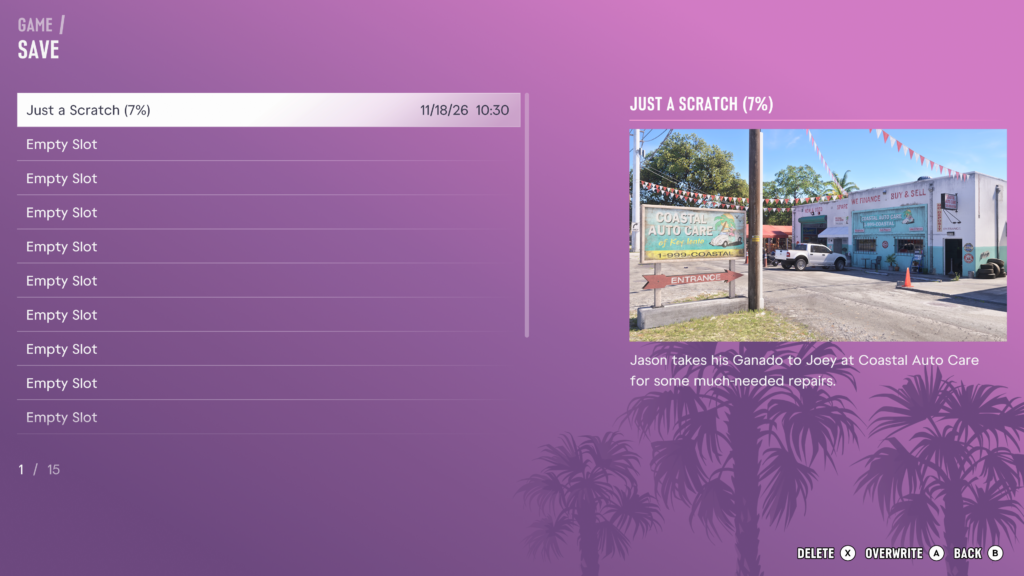
To save your game in GTA VI, pause the game, select Game from the menu, then select Save Game. From there, pick a slot and press X on PS5 or A on Xbox to save.
Here are the steps in order:
Pause the game
Select Game from the pause menu
Select Save Game
Highlight an Empty Slot
Save your progress in a new or existing slot
Your save will be named after the mission you are on, along with your completion percentage and the date and time you saved. For example, a save made before the Just a Scratch mission will appear as Just a Scratch (7%).
How many save slots are there?
GTA VI has 15 save slots. That means you can keep up to 15 separate manual saves at once.
This is handy if you are keen to keep a save from before a big decision, or if more than one person plays on the same console.
Does GTA VI autosave?
Yes, GTA VI autosaves. The game keeps an autosave for you without you needing to do anything.
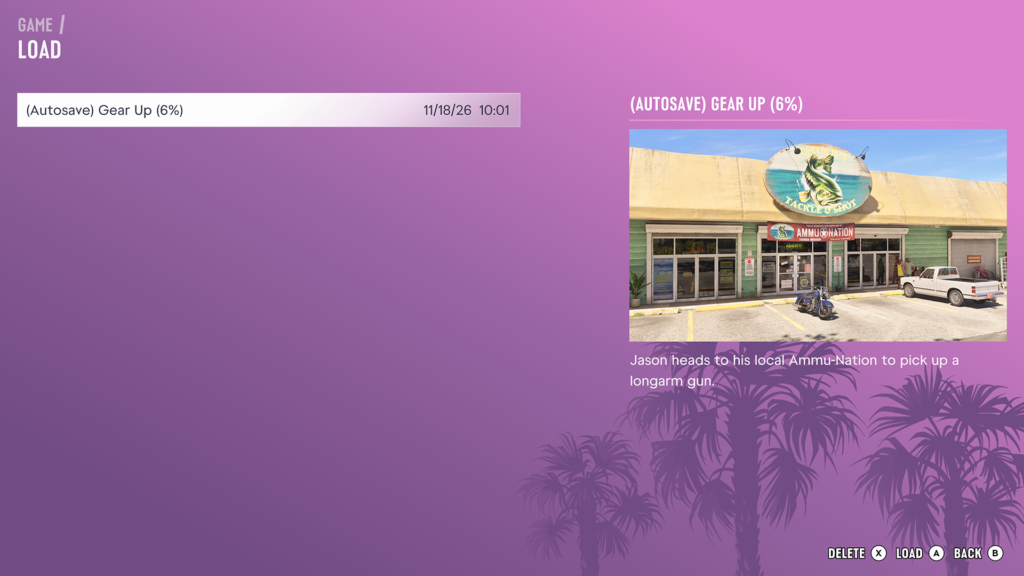
Your autosave does not take up one of your 15 save slots. You’ll find it on the Load screen instead, marked with (Autosave) in front of its name, such as (Autosave) Gear Up (6%).