Money comes and goes quickly in Leonida. One minute you are walking out of a job with a fat stack of bills, and the next you are waking up in a hospital wondering where it all went.
If you would rather keep what you earn, you’ll want to get that cash somewhere safe. Luckily, an ATM is never too far away!
How to deposit money
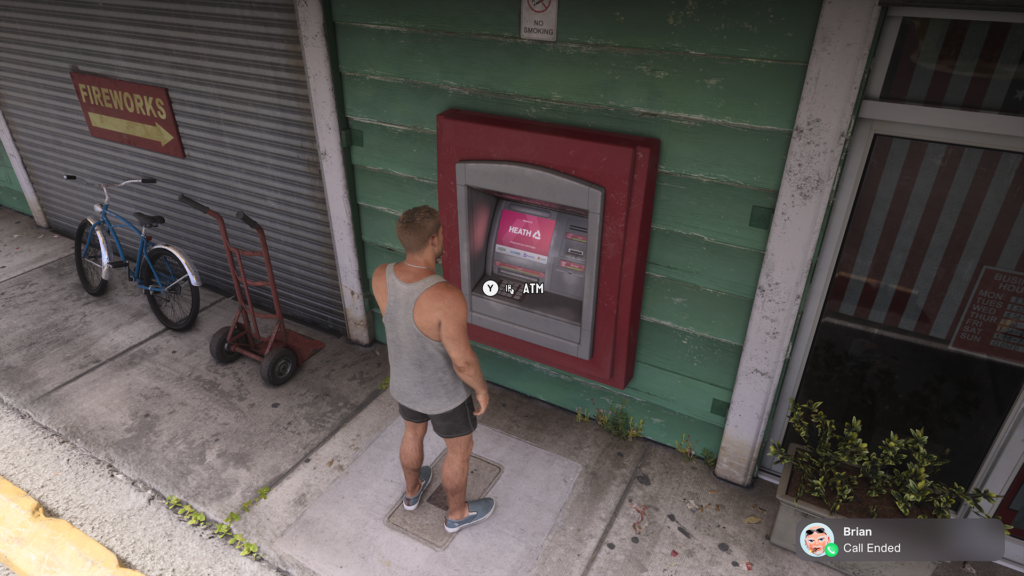
To deposit money in GTA VI, you must use an ATM. Walk up to any ATM and press Triangle on PS5 or Y on Xbox to use it, then deposit your pocket cash into your BuckMe account.
However, before you can use an ATM, you must complete the Buck Me mission in Chapter 1, which unlocks after Lucia returns during the Coming Home mission.
Where to find an ATM
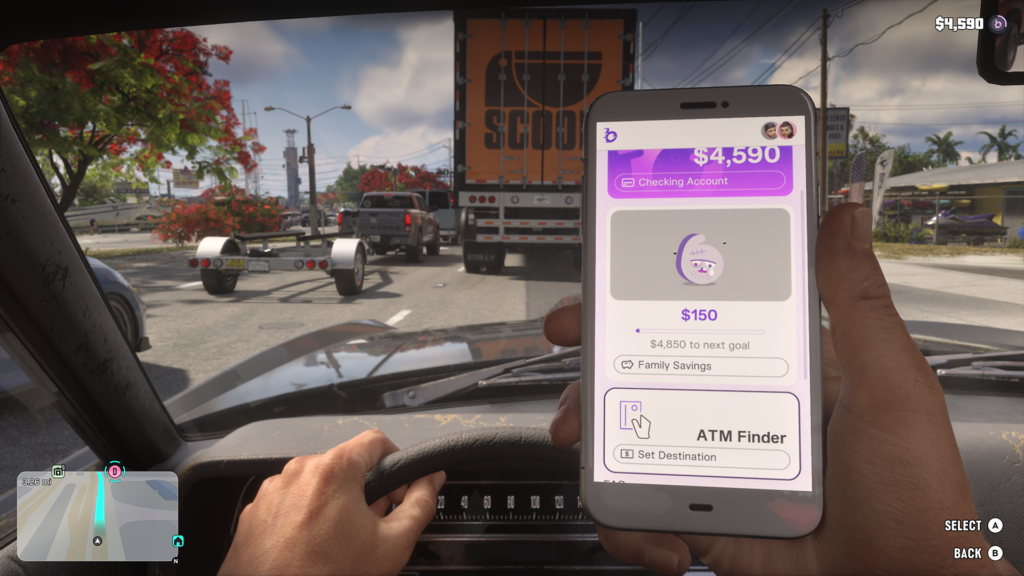
The quickest way to find an ATM is with the ATM Finder in the BuckMe app on your phone. Open BuckMe, scroll down to ATM Finder, select Set Destination, and it will set a destination to the nearest ATM.
If you change your mind, select ATM Finder again and choose Remove Destination.
You’ll also come across ATMs all over Leonida. They are often inside convenience stores, near the door, and on the outside walls of shops along the street. When you are close enough, you’ll see the ATM prompt appear.
Why should you deposit your money?
You should deposit your money because you can lose all of your pocket cash if you are busted or wasted. The money in your BuckMe checking account is much more secure.
Your pocket cash is marked with a green icon and is the money Jason and Lucia carry on them. Your BuckMe balance is marked with a purple icon and is the money sitting safely in your checking account
It also progresses the story during Chapter 1. You have a goal of $5,000 to hit.
How to withdraw money
To withdraw money in GTA VI, you must also use an ATM. Press Y to use the ATM, then choose to make a withdrawal from your BuckMe checking account.